Amber Spins Mobile Casino: Browser Experience and App Check
 Available in US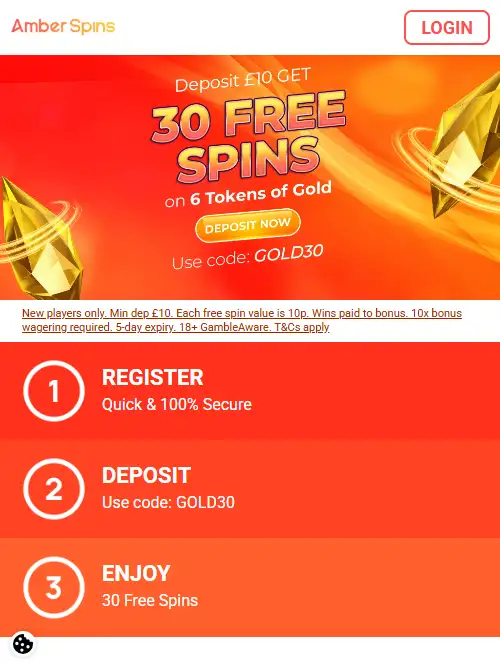
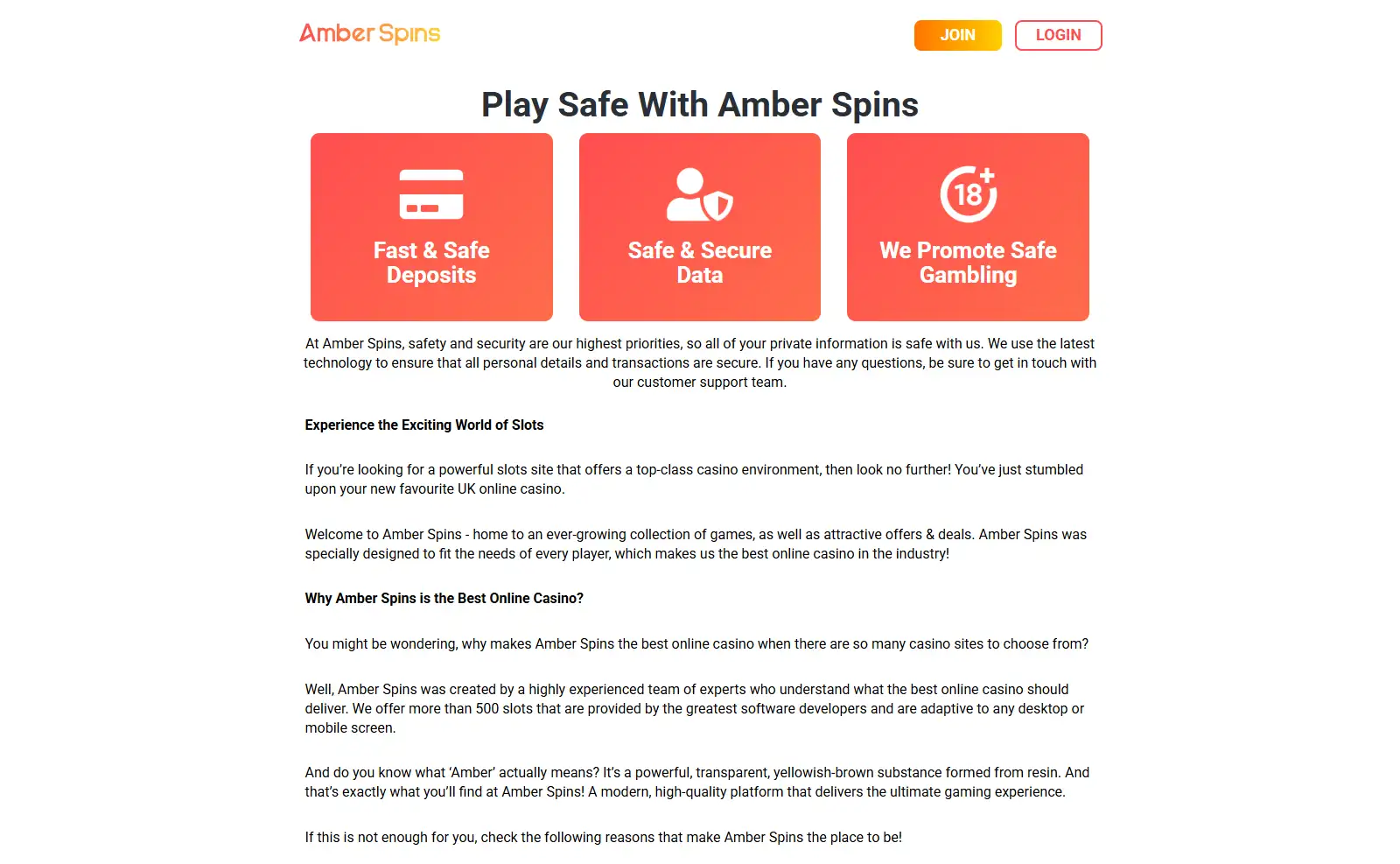
Amber Spins is designed for mobile-browser use. The current Amber Spins site says its games adapt to desktop and mobile screens and specifically says the site is optimised for devices running iOS, Android and Windows. That makes the browser the verified mobile route: a player can open the site on a phone or tablet and use the responsive version rather than needing a separate desktop computer.
This guide does not claim that Amber Spins currently has a native iPhone or Android app. No matching App Store or Google Play listing was confirmed. A mobile-friendly website and a native app are different products, even if both can put a casino interface on a phone. The practical question is therefore whether the mobile web version keeps the lobby, account, cashier, support and safer-gambling functions usable on a smaller screen.
Table of Contents
- Mobile browser versus native app
- What Amber Spins says about device compatibility
- A practical mobile usability checklist
- Registering and signing in from a phone
- Mobile cashier: what to inspect before funding
- Playing slots on a smaller screen
- Does Amber Spins have an iPhone or Android app?
- Safer gambling on a phone
- Mobile verdict
- Frequently asked questions
Mobile browser versus native app
A browser casino runs from the website itself. You open Amber Spins in Safari, Chrome or another modern browser, sign in and use the same web service that exists on desktop. A native app is separate software distributed through an app store or another documented installation route. Amber Spins supports browser access. This page does not claim that an Amber Spins App Store or Google Play download is currently available.
Browser access can be convenient because there is no separate installation or app-update step. The trade-off is that performance depends more directly on the browser, device hardware and network connection. A responsive casino can still feel different from a native application, especially when menus, game lobbies and account controls have to fit a narrow screen.
The useful test is not whether an app icon exists. Check whether the browser experience lets you reach the functions that actually matter: games, account access, payments, support and safer-gambling controls. Those tasks determine whether Amber Spins is practical on your phone.
What Amber Spins says about device compatibility
Amber Spins describes its platform as adaptive to desktop and mobile screens and names iOS, Android and Windows in its mobile description. The site also advertises more than 500 games, so mobile access is presented as a route into the main slot-focused product rather than a separate miniature catalogue.
That does not mean every handset, browser version, network or game will perform identically. Individual games may have their own technical requirements or orientation preferences. A modern phone on stable Wi-Fi can behave differently from an older device on a weak mobile connection. This guide therefore treats mobile platform support as verified while avoiding a blanket performance promise.
If catalogue depth matters more than screen layout, use the dedicated games and slots. It covers the verified 500+ game claim and provider evidence without turning this mobile page into a duplicate game review.
A practical mobile usability checklist
You can evaluate most of the mobile experience before making a deposit. Open the site on the device you actually intend to use and check the areas below.
- Viewport fit: menus, headings and buttons should fit the screen without constant horizontal scrolling.
- Lobby navigation: game browsing and search should remain usable when tiles and categories are compressed into a narrow layout.
- Login access: the sign-in route should be easy to reach without being hidden behind overlapping banners or menus.
- Cashier access: deposits, withdrawals and transaction information should remain readable on a small screen.
- Support visibility: the help route should be easy to find if an account or payment issue occurs while you are on mobile.
- Safer-gambling controls: limits and self-exclusion information should remain accessible rather than being buried by the responsive layout.
- Game controls: stake controls, rules and important buttons should not be cut off by browser bars, notches or the on-screen keyboard.
- Orientation: try portrait and landscape where the game supports both. Some slot interfaces are easier to read in one orientation.
- Recovery after a connection drop: know how to return to the account or transaction history before continuing.
This checklist is more useful than a generic “mobile friendly” label because it tests the small-screen tasks that can affect account management and play.
Registering and signing in from a phone
The Amber Spins homepage presents registration, deposit and play as the main account journey, and the site’s mobile optimisation means that journey is intended to work on supported mobile devices. This page does not reproduce a field-by-field signup flow because the current registration screen can change and there is no confirmed stable set of fields to present as universal.
For the account lifecycle, operator identity, UK age and identity checks and support routes, use the account guide. Keeping that material in one place prevents the mobile page from becoming a second signup article.
Phone security matters as much as site design. Use a unique password, keep your recovery email secure and avoid saving login credentials on a shared handset. If other people can unlock the phone, browser convenience can become an account-security weakness.
Mobile cashier: what to inspect before funding
A responsive cashier matters because amounts, payment method names and transaction status need to remain clear. Amber Spins supports mainstream UK-facing payment routes, but exact limits and timing belong in the payments guide and can change independently of the mobile layout.
On a phone, confirm the amount and payment method before submitting anything. If a bank or wallet opens a separate authentication screen, check that it returns cleanly to Amber Spins. Also find the account-history or pending-transaction area before relying on mobile play, because a dropped connection immediately after confirmation can otherwise create uncertainty.
Payment-method specifics, including the Great Britain credit-card rule, belong in the separate payments guide rather than this mobile usability review.
Playing slots on a smaller screen
Amber Spins is primarily a slot-focused site and currently advertises more than 500 games. On mobile, the main difference is often not the underlying game but the interface around it. Lobby tiles are smaller, filters may need extra taps and a game’s information panel can take more of the screen.
Before settling into a session, check that the stake control, paytable or game rules and key buttons remain readable. Do not assume that a title looking fine in the lobby guarantees a comfortable play experience on every handset. Browser zoom, device resolution and orientation can all affect usability.
If the device overheats, the page repeatedly reloads or the connection is unstable, stop rather than forcing the session to continue. A responsive site cannot eliminate device and network limitations.
Does Amber Spins have an iPhone or Android app?
Amber Spins is optimised for mobile-browser use on iOS and Android, but this page does not present a native Amber Spins app as an established product or provide an app-download instruction.
That is not a criticism of the mobile experience. A responsive web casino can deliver the full account journey without a store download. If a native Amber Spins app is introduced later, the reliable confirmation would be an official Amber Spins link to the store listing or a store listing that identifies the current publisher. Until then, avoid third-party APK pages or download claims that cannot be tied back to the licensed operator.
Safer gambling on a phone
Mobile access can make gambling feel more immediate because the casino is available on the same device used throughout the day. That makes limits and account controls more important. Before playing, identify where safer-gambling information is located and make sure it is still easy to reach on the small-screen version.
For Great Britain players, GAMSTOP provides multi-operator online self-exclusion across licensed gambling websites and apps. It works through participating operators checking account details, so changing from desktop to mobile does not bypass an active exclusion. Device blocking tools and bank gambling blocks can add further layers if needed.
A practical mobile routine is simple: decide a budget and time boundary before opening a game, avoid gambling when distracted or under pressure, and do not treat constant phone access as a reason to extend a session.
Mobile verdict
Amber Spins has a clear verified mobile proposition: browser-based access designed for iOS, Android and Windows screens, connected to the same slot-focused site that advertises 500+ games. That is enough to make it practical to evaluate from a phone without first searching for software to install.
The unresolved point is native-app status. Because no current matching App Store or Google Play listing is confirmed, this guide does not describe a downloadable Amber Spins app. The better decision test is whether the responsive site makes the lobby, account, cashier, support and safer-gambling controls comfortable on the handset you actually own.
Frequently asked questions
Does Amber Spins work on iPhone?
Yes. Amber Spins says its mobile-optimised site supports iOS devices. The verified route in this guide is browser access rather than a claimed native App Store application.
Does Amber Spins work on Android?
Yes. Android is specifically named in the site’s mobile-optimisation statement.
Is there an Amber Spins app?
This guide does not claim a current native app because no matching App Store or Google Play listing is confirmed. The confirmed option is the responsive browser site.
Are all games identical on every mobile device?
No universal performance claim is made. The site is designed for mobile screens, but individual games, browsers, devices and networks can behave differently.
Do I need a separate mobile account?
No separate mobile account is described by the available information. Mobile access is through the Amber Spins web service; account management is covered in the account guide.
For the broader context, see the Amber Spins review.
Prepared by the Amber Spins editorial staff.